|
5 Key Takeaways
|
- Wise Business offers multi-currency accounts with transparent fees
|
- It simplifies international payroll payments but doesn’t process payroll or manage compliance
|
- FX rates and transfer fees can significantly impact payroll costs
|
- Employers must handle payroll calculations and tax compliance separately
|
- Combining Wise with a compliant global payroll solution reduces operational risk
|
1. Introduction
International payments are becoming more important as companies expand remote teams across markets. As teams grow, the challenge now is making payments on time without losing visibility on exchange-rate fluctuations or transfer costs. Traditional wire transfers can be too slow and expensive for globally distributed teams of employees, contractors, and vendors.
That’s why more businesses use fintech platforms like Wise, which offers transparent fees, mid-market exchange rates, and batch payments for international teams.
What this guide covers
- How to set up a Wise Business account for international payroll-related payments
- Using Wise for manual transfer and batch payments
- Which fees and FX factors to watch before making payments
- Best practices for using Wise in global payroll
- What Wise doesn’t cover in payroll compliance
- When a global payroll solution or EOR may be needed for long-term growth
2. What Is a Wise Business Account?
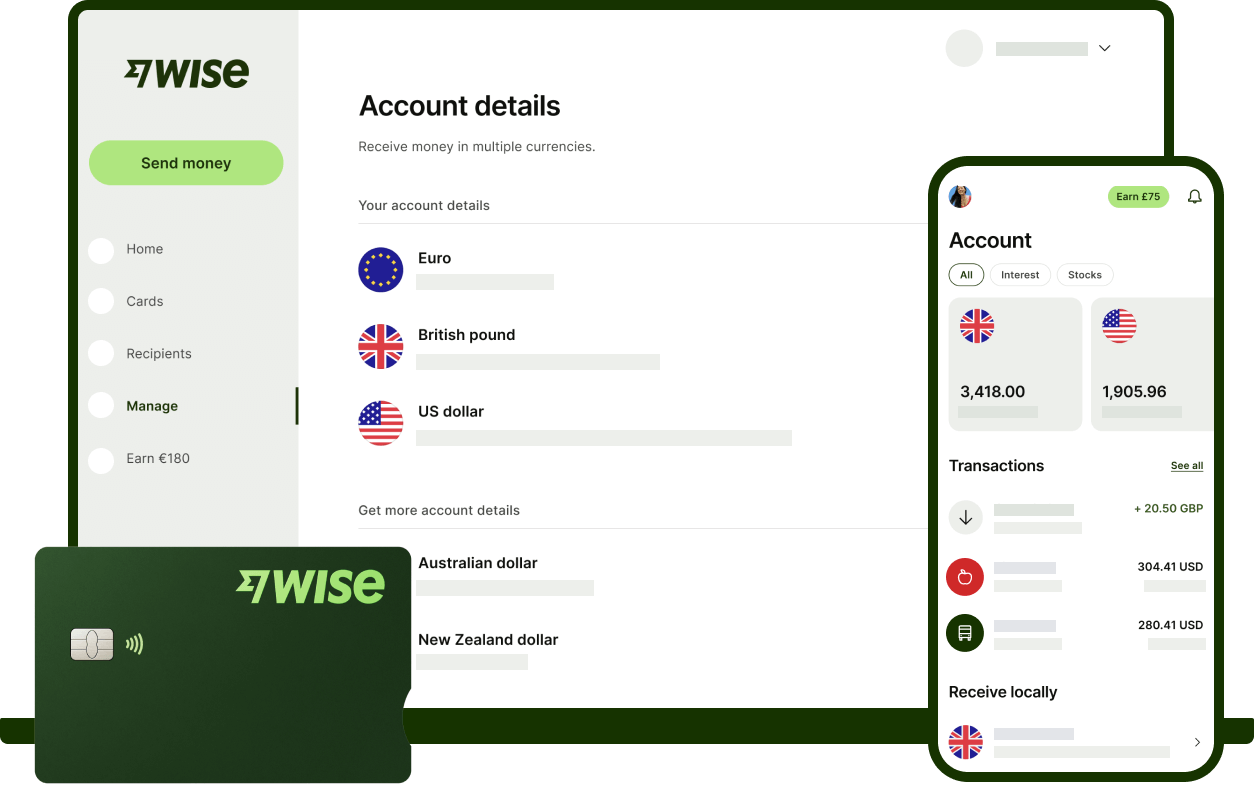
Wise Business is an online account that lets employers make cross-border payments to employees, contractors, or vendors with the mid-market exchange rate in over 40 currencies and 160 countries.
Wise Personal vs. Wise Business
A Wise personal account is designed for individual international payments and personal money management. Wise also offers a multi-currency business account for companies that need to send, receive, and manage cross-border payments. There are also business features that include multi-user access, team permissions, batch payments, invoicing tools, and more transparent cost visibility.
Unlike a personal account, Wise Business is tied to your business entity and requires company verification during onboarding.
Wise vs Traditional Bank: Comparison
|
Factor
|
Wise Business
|
Traditional Banks
|
|
FX transparency
|
Fees and exchange rates are typically shown upfront
|
FX spreads and total costs may be less transparent
|
|
Transfer speed
|
Mostly within 12 hours to a day, but could be longer depending on the receiving country
|
Typically between 3 to 5 business days
|
|
Setup process
|
Online setup with business verification and digital onboarding
|
May involve more manual banking setup and paperwork
|
|
Cost predictability
|
Generally easier to estimate total transfer cost before sending
|
Total cost can be harder to predict due to multiple wire fees and FX spreads
|
3. Is Wise Suitable for Global Payroll?

Yes, but only at the payment layer. Wise can support global payroll payments after payroll has been calculated and approved.
In practice, Wise is most suitable for the following scenarios:
- Paying international contractors or remote employees
- Sending net salaries after payroll has been processed
- Reimbursing remote employees on case-by-case expenses
- Making recurring cross-border payments to partners or vendors
However, there are also limitations; Wise does not calculate income tax, handle social contributions, ensure local labor compliance, or solve worker-classification and permanent-establishment risk. Employers still need a separate workflow or partner to manage those responsibilities.
4. How to Set Up a Wise Business Account (Step-by-Step)
Step 1: Create your business account
- Enter a business email
- Select your company location
- Add business phone number for two-step verification
Step 2: Complete business verification
Wise requires documents to verify business details regarding the applicant and the business:
- business registration details
- company address and operating information
- director, shareholder, or beneficial owner information
Step 3: Activate the currencies you need
Once the account is verified and live, you can start setting up a transfer:
- Add a currency that has account details (e.g. USD, EUR or GBP)
- Enter account details
- Check eligibility and regional variances based on your registered business location to see if there are added fees.
Step 4: Add team members and payment controls
Next you can invite finance or payroll team members, assign permissions, and set up approvals where available.
Step 5: Fund the account and prepare for payouts
Make sure the account is funded, the required currencies are ready, and internal approvals are in place before payroll is released.
5. How to Use Wise for Payroll and International Payments

In most international payroll payments, businesses use it either for manual salary transfers or for batch payroll payouts after payroll amounts have been calculated and approved.
Option A: Manual Salary Transfers
This option works best for smaller teams or one-off payments.
- Add the recipient by entering the employee’s or contractor’s payment details.
- Choose the payout currency based on what the recipient is meant to receive.
- Confirm the exchange rate if you are converting from your funding currency.
- Review the fees and final payout amount before releasing the payment.
- Send the transfer and keep the payment confirmation for your payroll records.
Option B: Batch Payroll Upload
This option is suitable for recurring payroll across multiple recipients or currencies.
- Prepare and upload your payroll file, usually in CSV format, once the payment amounts are finalized.
- Review the batch carefully to make sure names, bank details, currencies, and amounts match the approved payroll.
- Bulk approve if your internal workflow requires finance or payroll sign-off before release.
- Track payment status so your team can confirm which transfers are completed, pending, or need follow-up.
💡 Operational Payroll Checklist
Before releasing payroll through Wise, make sure you do the following:
- Confirm final net pay and statutory deductions before releasing payroll.
- Double-check banking details to avoid delays and rework.
- Make sure payments are released before local deadlines.
- Review FX impact before approval so the converted amount still meets intended net pay.
6. Wise Business vs. Traditional Banks: Fees & Speed

When evaluating Wise Business for global payroll, the main question is whether Wise gives you better visibility into the total cost for making cross-border payroll transfers:
- FX conversion fees: Apply when you fund payroll in one currency and pay employees in another.
- Transfer fees: Charged as part of sending the payment itself.
- Receiving or intermediary bank fees: May still apply depending on the payment route or currency corridor.
- Currency holding considerations: Your total cost can change depending on when you convert and when you release payroll.
To see how these fees impact a real-world budget, let's compare a typical monthly payroll run below.
Scenario: Paying 15 Global Employees (€3,000 each)
To illustrate the real-world impact, consider a company paying 15 international employees €3,000 each from a USD account. Even small differences in fees can quickly add up, here’s a cost comparison between SWIFT and Wise in 2026:
|
Cost Category
|
Wise Business
|
Traditional SWIFT Banks
|
|
Exchange Rate (FX Markup)
|
Mid-market (0%)
|
~$1,350 (Avg. 3% markup)
|
|
Transaction Fees
|
~$130 (Total)
|
~$600 ($40 per employee)
|
|
Intermediary Bank Fees
|
$0
|
~$150 – $300
|
|
Total Estimated Cost
|
~$130
|
~$2,100 – $2,250
|
Not sure about how FX fluctuations and transfer fees can affect your global payroll budget? Get a free compliance and cost audit from Slasify today.

7. International Contractor Compliance Considerations When Using Wise for Payroll

Wise is a payment rail, not a compliance engine. While Wise ensures money reaches the recipient, it does not mitigate misclassification risks—a top priority for HR in 2026.
"The future of cross-border payments will be shaped not just by speed and convenience, but by the strength of compliance infrastructure behind each transaction."
— Tristan Van der Vijver, Chief Risk and Compliance Officer at Convera.
Here are the main compliance responsibilities for employers:
- Tax withholding and statutory deductions: Each country has its own contribution ceilings, deduction percentages, and reporting rules tied to payroll, tax, and social contribution calculations.
- Mandatory benefits: Most countries require employers to provide paid holidays, social contributions, healthcare, labor insurance, and annual leaves. Non-compliance can lead to labor disputes and penalties.
- Payslips, records, and statutory reporting: Payslips must include all required payroll information. Attendance and payroll records must be retained for auditing purposes, with retention periods varying by jurisdiction.
Although Wise improves payment execution, there are still practical payroll risks to consider. Global employers must meet local timing rules, monitor FX swings that could reduce final payout amounts (or add costs), assess worker classification and understand whether hiring in another country creates local employer obligations or permanent establishment risk.
8. Best Practices for Using Wise in Global Payroll

The best way to position Wise and get the most value is treating it as part of a structured payroll process. Here are some best practices and tips for global employers:
- Calculate payroll separately: Make sure payments are only released after net pay, deductions, and approvals are finalized.
- Review FX exposure before payday: Especially when funding and payout currencies differ. This helps reduce the risk of shortfalls caused by late conversion or exchange-rate movement.
- Keep a clear audit trail: Including payroll reports, approvals, payment confirmations, payslips, and any adjustments or reimbursements.
- Partner with payroll or EOR experts when hiring overseas: Ensure operational efficiency and legal responsibilities are met at every step.
9. When Should You Consider an EOR or Global Payroll Partner Instead?

Once businesses begin hiring across borders more seriously, compliance and employer obligations often become the bigger challenge. Here are some scenarios where simply using Wise won’t be sufficient:
- You're hiring employees abroad and need to handle payroll taxes, local registration, and employer obligations.
- You need to manage statutory employee benefits and meet market-specific employment requirements, including what must be provided by law and what's commonly expected to remain competitive.
- You're entering regulated markets or scaling into multiple countries, where local rules, reporting obligations, and operational complexity become harder to manage through separate tools.
The value of a global payroll or EOR partner extends beyond compliance support to operational coordination. The right partner can centralize payroll workflows, local requirements, approvals, and country-specific obligations in one structure, giving finance, HR, and operations teams better visibility across the full global employment process.
10. Conclusion
Wise Business delivers on what it promises — transparent FX rates, lower transfer costs, and faster cross-border payroll transfers than traditional banking. For the payment layer, it's hard to beat.
However, a payment tool is not a compliance engine. Statutory obligations, local tax filings, and labor law don't manage themselves as your team scales across borders.
The Winning Strategy: The most scalable approach combines Wise's efficient payment rails with a dedicated Employer of Record (EOR) like Slasify — ensuring every market you hire in is covered, not just paid.
11. FAQ: Using Wise for Global Payroll Transfers

1. What is a Wise Business account?
A Wise Business account is an online multi-currency account that allows companies to send, receive, and manage cross-border payments at the mid-market exchange rate across 40+ currencies and 160 countries. It includes business features such as batch payments, team permissions, and invoicing tools, but does not handle payroll processing, tax calculations, or employment compliance.
2. Can I use Wise for paying international employees?
Yes, you can use Wise to execute net salary payments to international employees. However, Wise is a payment processor, not a full-service payroll provider. It does not automate tax withholdings or statutory contributions. For full compliance, businesses often integrate Wise with an EOR partner like Slasify.
3. Does Wise handle payroll taxes?
No. Wise Business is a payment execution tool and does not calculate or remit payroll taxes. While it excels at cross-border currency exchange, employers remain legally responsible for tax withholding, social security deductions, and local labor reporting. To bridge this gap, many businesses use Slasify to automate the compliance layer before releasing funds via Wise.
4. How much does Wise charge for international payroll payments?
It depends on your business location, currencies involved, and whether you're converting currency or using local account details. The total cost typically includes a combination of FX conversion fees, transfer fees, and potentially setup or intermediary fees. Check Wise’s cost calculator to get an estimate.
5. Is Wise cheaper than traditional banks?
In most cases, yes. Wise uses mid-market rates and transparent fees, avoiding the 2–4% FX markups typical of traditional banks. For global payroll, savings can exceed $2,000 per cycle. To maximize these savings while ensuring 100% compliance, many firms integrate Wise with Slasify to automate their international workflow.
6. What are the risks of using Wise alone for payroll?
The biggest risk is assuming that sending payment means payroll is done. Wise executes transfers efficiently, but it does not calculate salaries, withhold income tax, manage statutory contributions, issue payslips, or file local payroll reports. Employers who skip these steps risk tax penalties, worker misclassification disputes, and non-compliant payroll timing — consequences that become significantly harder to unwind as your global team scales.
7. When should I use an EOR instead?
Use an Employer of Record (EOR) when you are hiring full-time employees abroad, entering a regulated market, or scaling into multiple countries. Unlike Wise, an EOR acts as the legal employer on your behalf — managing local registration, payroll calculations, tax filings, statutory benefits, and employment compliance from day one, so you can hire globally without setting up a local entity.